Friday, March 6, 2009

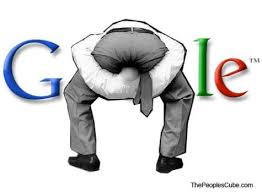
Google Reader for Mobile Devices SUCKS

The default RSS Reader on my Omnia (default WinMo RSS Reader) is fine, but I'd like to have something a little more robust. I'd at least like to be able to "star" certain things to come back to them later... better yet, I'd like to be able to mark them and have that mark integrate with my main computer RSS Reader so I could later take a look from my computer.

You can e-mail a link from the default RSS Reader, but it's a many-step pain in the butt, so not the best solution (takes over a minute just to send yourself a reminder about whatever you want to remember to revisit).

It would be excellent if the reader functioned with my Google Reader. I'd be able to star the item, and then when I returned to my computer I could simply check my starred items via Google Reader on my Google Homepage.

So I decided to see if there was a mobile version of Google Reader. I went to http://m.google.com/reader and was pleased to find a link called "Get Google Reader for your phone" with a form field to fill in your mobile number. I typed in my mobile number and expected to receive a cab file from Google.

Instead, they send a freaking link to a web page. I don't want to visit a web page; I want an app so I don't have to open my browser and get on the web. It pretty much defeats the purpose of having a mobile RSS Reader in the first place.

ANNOYING AS HELL.

Not only that, but in order to "star" something, you have to scroll to the very, very bottom of the page and click a link.

Stupid.

Furthermore, there is no option to add Google Reader to your mobile iGoogle page. What in the...? When you select "Add stuff" from your mobile iGoogle page you find a list called "popular" where you can add the "Betty Crocker Recipe of the Day," but not your Google Reader. There don't seem to be any other options from that location to find (actually useful) things to add to your iGoogle mobile page.

Again: stupid.

Bad job, Google.

[update] If you're using Opera Mobile 9.5, you can "trick" Google into thinking you're not actually on a mobile device. This will allow you to see Google Reader on your iGoogle page (you can look at your real iGoogle page, not just the extremely scaled down piece of shite that Google redirects you to when your on a mobile device).

Just following these steps:
To change the user agent in Opera Mobile 9.5 type the following into your address bar:

about:config
Scroll down the page to the item "User Agent" and click on it.
It will say "Spoof user agent ID"

1 is Opera Mobile 9.5
2 is firefox
3 is IE 6


...

Wednesday, March 4, 2009

Thursday, February 26, 2009

Ginipic kind of rules. (image searching)

I heard about Ginipic the other day from Lifehacker. After reading some of the reader comments, I decided to try the Firefox CoolIris add-on first (rather than install a dedicated program on my machine, just for searching pictures).

It's OK, I suppose. The interface is fun (tilt and scroll), but not very useful... in fact, it just got annoying after a while. It's not very intuitive. I'm still not sure how to effectively interact with the interface. Clicking on an image enlarges it. Or maybe it takes you to the image location? Or maybe it doesn't. And how do you get back to your original search? Yada, yada, yada. Needless to say, I got fed up with it very quickly.

So I decided to try Ginipic. It was a super quick and easy install and then... can you say "awesome" boys and girls?


If you spend any time at all searching Flickr, Google, etc... for images, I highly recommend trying this program out. I am definitely a fan.

...

My Favorite Comment Regarding Louisiana Gov.'s Response...

...following Obama's address was from the reporter on MSNBC who stated:

"This was like following Led Zepplin with nothing but a harmonica."

Brilliant.

Monday, February 23, 2009

Wolverine Declares: THE MUSICAL IS BACK

Before I get to the Oscars, I want to point out how primed the world is for MUSICALS. And hey, if it's an indie film to boot... well all the better! That's awesome news for somebody who just happens to be in pre-production on what stands to be the coolest indie-dance-musical of 2010. If you're not sure what I'm talking about, check out: LeadingLadiesMovie.com. I am currently producing (I'll also be editing and scoring) a film co-written by my main squeeze, Erika Randall Beahm. She'll also be co-choreographing with So You Think You Dance's Melanie LaPatin (also starring in the film's Sheri role) and co-directing with the film's co-writer, Jen Bechtel.

So the ball keeps rolling faster and faster like a beautiful, 1930's, deco, streamlined, steam-train, picking up more and more momentum to make Leading Ladies poised to be the best thing to hit the silver screen since Flying Down to Rio, Dirty Dancing and My Big Fat Greek Wedding all rolled into one!

Keep an eye out for developments on the film. The buzz is growing!

So, onto last night's festivities...

I feel like it's safe to say, last night was probably the best Oscar Ceremony of my lifetime. It wasn't the craziest, it didn't have the best speeches, it didn't have a super-whacky, expensive opening... it was just the overall best I've seen. It was a return to the "Grand Hollywood" of yesteryear. Performers were actual performers and producers and set designers actually went for it. It was classy.

First of all, Hugh Jackman is a bad ass. When the guy who plays the most ferocious of all the X-men can perform song and dance after song and dance and nail it... that's just awesome.

And can I take a moment to appreciate graciousness? First of all, Hugh Jackman thanked everybody, all the time. From the people who played bit parts in his skits and songs, to the [gasp] show's producer and designers! That's a true performer: somebody who knows who makes the magic happen... and is APPRECIATIVE of those "semi-invisible" roles.

Then, on top of Hugh Jackman's graciousness, there was the presentation method for the main acting awards. Fantastic actors appreciating the craft and being gracious to all the nominees. Awesome. Really nice.

And the set... the set was just beautiful. And they put the band ON STAGE! Not only that, but they were playing what I consider to be real Hollywood music. Stuff that makes you think of Duke Ellington, Les Baxter and Dizzy Gillespie. Fantastic.

As an aside, I was sooooo happy to see Sean Penn win best actor. Yeah, it would have been cool for Mickey Rourke to make that kind of a come back, but just the fact that he was there was saying something (and I think enough). There's no denying Penn's performance as Harvey Milk. He was unbelievable... and then his speech. Speaking out in a poignant, articulate way (which is great, considering Penn's penchant for going overboard at times) to say (in regard to Prop. 8), "...it is a good time for those who voted for the ban against gay marriage to sit and reflect and anticipate their great shame and the shame in their grandchildren's eyes... we've got to have equal rights for everyone."

What's up, bigots? Mr. Penn is calling you out. You're embarrassing your grandchildren. What a great way to put it. It's time for equality; how can you deny it?

And last but not least... Slumdog Millionaire. Bollywood finally breaks down the doors of Hollywood like gangbusters! The movie was fantastic, and it was rewarded appropriately. And the energy and love among the cast, the feelings that kind of swept over the whole audience and made everybody smile, nay, beam... just glorious. And props to A. R. Rahman. Not one but TWO Oscars for music. That dude is a bad-ass.

So last night was just a truly enjoyable Oscar ceremony.

And don't forget, the indie dance musical is poised to take over Hollywood. Tell your rich uncle to invest in our movie!!!!

...


Friday, February 20, 2009

Syncing Vista Windows Contacts with Windows Mobile without Outlook

Yes this is it, the answer you've all been looking for. I will save my rants for the second half of this post. First, I'm just going to tell you how you can sync your Windows Contacts with your Windows Mobile device without using Microsoft Outlook. This is the (absolutely free) way to sync your contacts.

Yes, Vista comes with Windows Mail, which it clearly states is the updated version of Outlook. Well, even though that is so, *surprise!* it is now completely obsolete, as Microsoft has decided to create something new called Windows Live Mail (I love how they create new programs named almost exactly the same thing). At least it's free.

So here it goes:
  1. Export your Windows Contacts as a .CSV file (yes, get ready to not use your Windows Contacts anymore... evidently Microsoft really wants you to use the cloud).
  2. If you don't have a Windows Live account (Microsoft's version of what Google's been doing for a long time), then create one (it's free).
  3. Import your Windows Contacts .CSV file into your Windows Live account. Don't be confused when they call your Windows Live mail account Hotmail (yes, I thought Hotmail was dead too). Or maybe they won't call it Hotmail. It depends what page you're on. Microsoft seems to be even more confused than we are about this whole mess.
  4. Download Windows Live Mail (yes, it's actually a program you have to download onto your computer; this replaces Windows Mail... don't ask). As a side note: as soon as the install asked me if I wanted to make Windows Live Mail my default e-mail program I screamed "HELL NO" and made the appropriate selections. However, this is now where I maintain my contact information.
  5. If it's not already on your Windows Mobile device, install Windows Live on there (it's basically a proprietary Exchange Server that works only with Windows Live).
  6. Open Windows Live on your mobile device and click "sync."
  7. Cross your fingers, pray, do whatever it is you do to make the universe treat you right. Your Windows Contacts should now be synced with your mobile device.
  8. Make sure you use Windows Live Mail to maintain your contact information on your computer from now on.
NOTE: if you don't need your contacts on your computer, you don't really need to download Windows Live Mail. You can just maintain all your contacts online via your Live.com account. Then, sync your online contacts to your phone with Windows Live as above.

Now for the rant...

First of all, I want to express my extreme frustration and anger with Microsoft for making it so incredibly difficult to simply sync your Vista contacts with your mobile device. They made Vista right? They made WinMo right? WTF?! I spent nearly a week trying to figure this thing out, coming across countless posts, threads, etc... with people clamoring for a solution to this problem.

Why in the world would Microsoft make this so hard?! Do they not realize how much they are pissing off their client base? It's enough to make somebody switch to Mac.

Other questions that came up while searching for the answers... How many times will Microsoft change the name of a program/system? Outlook Express? Windows Mail? Windows Live Mail? Hotmail? Windows Live? What does it all mean?! Next time, try and make it a little more confusing.

I could go on and on and on, ranting about how I want to gouge out the eyes of whomever is in charge of this new Windows Live mess, but I'm tired, and I'm sick of anything and everything involved with this topic.

Hopefully this workaround helps out anyone looking for a non-Outlook sync solution until Microsoft gets their shit together and actually integrates a simple and easy way to sync your computer contacts and mobile device contacts (is that too much too ask?).

...

Wednesday, February 18, 2009

Zumobi REI Snow Report app expects WinMo to conform to their standards

A while back I installed Zumobi's joint venture with REI, a WinMo Snow Report app. It seemed like it would be great, but unfortunately it didn't support the Omnia's resolution, and was thus completely useless. I wrote a letter to Zumobi to see when they'd be releasing a patch for the higher Omnia resolution (a simple piece of code), and here is their response:
Hi there,

Here is the answer to your question (from a Zumobi engineer):

Unfortunately, Zumobi will not be compatible with the Omnia i910. The Ombia i910 runs a resolution that is different from the native QVGA resolution, making it incompatible with Windows Mobile.

Zumobi's current Windows Mobile product was developed when most cell phone hardware used a standard QVGA resolution. Now that many smartphones, such as the iPhone, are the center of the mobile world, the Windows Mobile team is working quickly to develop a program that supports larger resolutions. Hopefully Windows Mobile team will soon develop devices that will allow compatibility with future Zumobi platforms. Until then, Zumobi is meeting the demand that the iPhone has created - the amount of app downloaders that are iPhone users is so large that the majority of focus goes there.


First, hilarious that this person thinks the Omnia is incompatible with Windows Mobile.

Second, evidently Zumobi expects Microsoft Windows Mobile team to change their software to "allow compatibility with future Zumobi platforms." While I'm sure Zumobi is an industry giant, I don't see this happening, Zumobi.

Hilarious.